
A desk that’s too narrow for a second screen, a chair that causes lower back pain after two hours, lighting that strains the eyes by the end of the morning: these problems almost always stem from poor equipment choices. Choosing the best equipment to set up a modern professional office is not just about flipping through a catalog. The French regulatory framework, particularly the NF X 35-102 standard updated in 2023, imposes specific ergonomic criteria.
NF X 35-102 Standard and Legal Obligations: What Influences Furniture Choices
Before discussing design or color, one must start with regulatory constraints. The AFNOR NF X 35-102 standard, in its 2023 version, is the benchmark in France for the ergonomic design of office workspaces. It incorporates practices related to remote work, open spaces, and prolonged screen use.
Why does this concretely change your purchases? Because the dimensions of desks, seat adjustments, and screen positioning are now subject to a regulatory framework, not just personal preference. A reputable supplier aligns its ranges with these requirements. If a catalog does not mention compliance with NF X 35-102, ask the question before ordering.
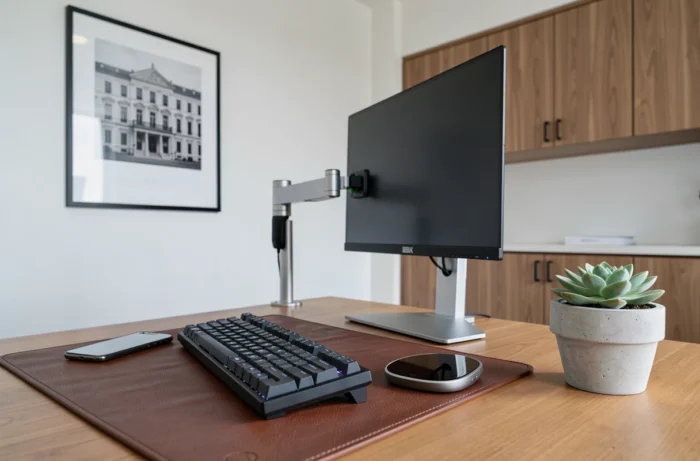
Articles R.4542-1 and following of the Labor Code complement this framework. They require the employer to analyze screen workstations, provide regular screen breaks, and monitor the vision of affected employees. Therefore, choosing an adjustable screen support or appropriate lighting is not a luxury: it is an obligation whose non-compliance exposes one to sanctions.
To compare the available ranges, the Concept Habitat office equipment allows you to visualize references that comply with current standards of ergonomics and modularity.
Ergonomic Office Chair: Adjustments That Make a Real Difference
The chair alone accounts for the majority of complaints related to comfort at work. Have you ever noticed that a “comfortable” seat in a store becomes uncomfortable after a full day? The reason rarely lies in the padding. It lies in the available adjustments and their range.
A good office chair offers at least five independent adjustments:
- Seat height, so that the feet rest flat on the ground and the thighs form an angle of about 90 degrees with the legs.
- Seat depth, to leave two to three fingers of space between the edge of the seat and the back of the knee.
- Adjustable lumbar support in height and pressure, which maintains the natural curvature of the lower back.
- Backrest tilt with synchronous mechanism, to support movements without forcing posture.
- Adjustable armrests in height (and if possible in width), to relieve the shoulders and trapezius.
A chair lacking these adjustments remains an improved stool, regardless of its price. Also check the weight capacity and availability of spare parts: a gas lift or a wheel should be replaceable without changing the entire chair.
Professional Office Lighting: Combining Natural and Artificial Light
Lighting is the most underestimated parameter when setting up a workspace. French regulations on screen work explicitly mention the need to reduce visual fatigue. Poor lighting not only causes discomfort: it degrades concentration over time.
The basic principle is simple. Natural light remains the primary source, while artificial lighting compensates for its limitations. Positioning desks perpendicular to windows avoids direct reflections on screens while taking advantage of daylight.
For artificial lighting, prefer fixtures with a color temperature between 4,000 and 5,000 kelvins (neutral to cool light) in work areas. Adjustable desk lamps complement the ceiling light by providing localized lighting, useful for reading paper documents or precision tasks.

Two common mistakes to avoid: a single ceiling light centered in the middle of the room (which creates shadow zones on lateral workstations) and poorly positioned LED spots that produce indirect glare on screens.
Height-Adjustable Desk and Cable Management: Two Structural Choices
The desk surface determines your posture as much as the chair. A height-adjustable desk (sit-stand) allows for alternating positions throughout the day. This type of furniture has ceased to be a niche product: most manufacturers compliant with the NF X 35-102 standard now offer motorized surfaces with position memory.
Why is this choice structural? Because a fixed desk imposes a single posture for hours, which contradicts current recommendations for preventing musculoskeletal disorders. An adjustable surface costs more to purchase, but reduces the risk of absenteeism related to back or neck pain.
Cable management is the second point not to overlook. A modern desk often accommodates a screen (or two), a charger, a keyboard, a mouse, and sometimes a headset. Without cable ducts, cable management systems, or a technical tray under the desk, the workstation quickly becomes cluttered and difficult to clean.
- Plan for an integrated cable management system in the surface from the outset, not an accessory added later.
- Ensure that the desk has easy access to a power strip mounted under the surface.
- For open spaces, bench desks with central electrification simplify collective cabling.
A well-cabled workstation reduces the risk of falls and facilitates daily cleaning.
Setting up a modern professional office relies on precise technical choices, not decorative trends. The NF X 35-102 standard, chair adjustments, lighting quality, adjustable surfaces, and clean cabling form the foundation of a sustainable workspace. Each workstation deserves individual analysis, as two employees at the same desk do not have the same physical constraints.